Physical Address
304 North Cardinal St.
Dorchester Center, MA 02124
Physical Address
304 North Cardinal St.
Dorchester Center, MA 02124

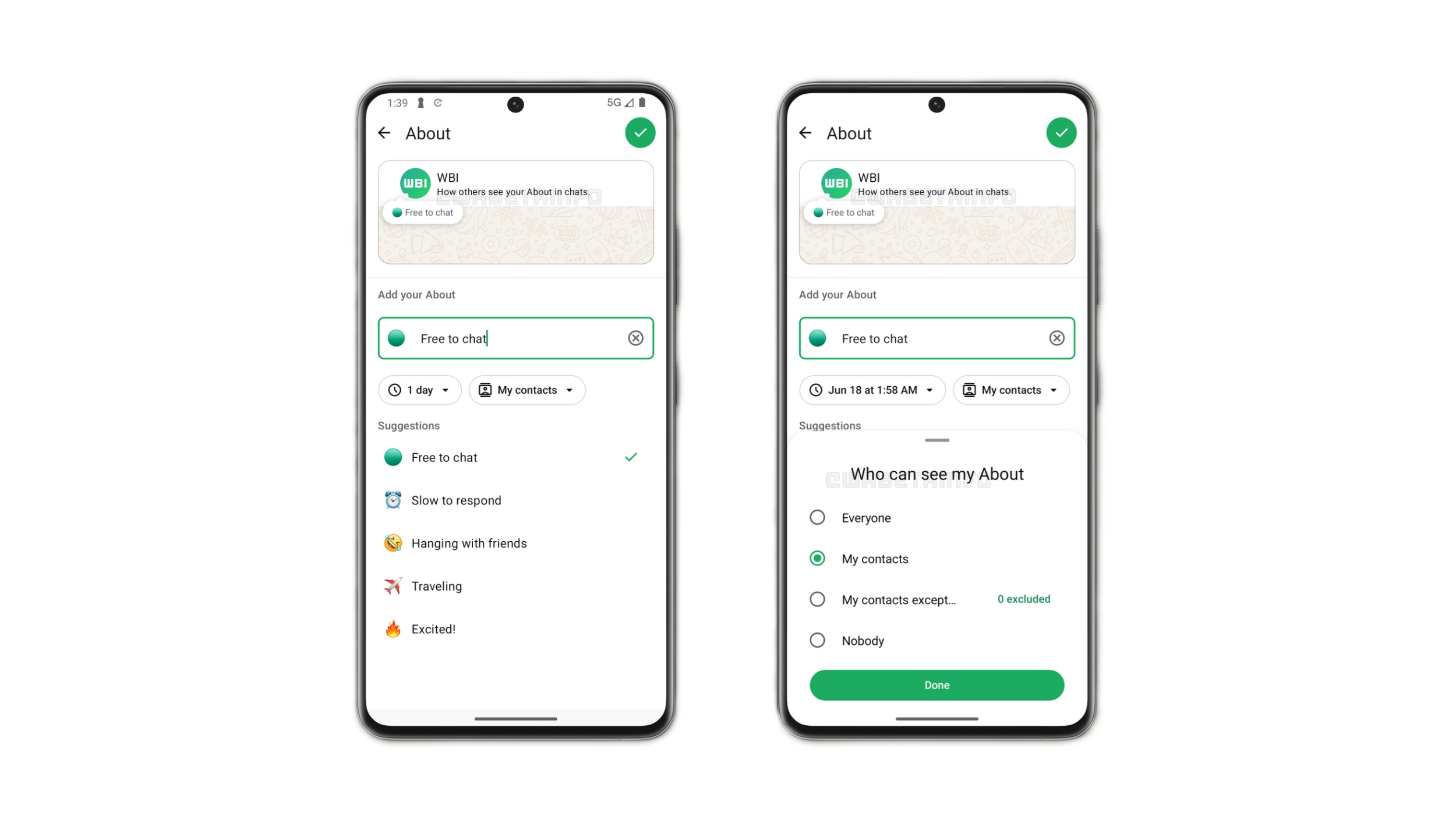
If you have opened your WhatsApp settings menu recently, you might have noticed that the app’s interface is gradually shedding its old, cluttered look. Continuing its 2026 design transformation, the Meta-owned messaging giant is currently rolling out a sleek, completely redesigned ‘About’ section for Android users via its official beta program.
The update moves away from the rigid text lists we’ve used for years, opting instead for a highly polished, card-based interface that feels right at home alongside modern Android design guidelines. Let’s look at what has changed and how you can check if your account has the new interface.
In the classic WhatsApp interface, tweaking your profile details meant tapping through a series of plain, full-width text menus. The new update changes this workflow by introducing distinct, rounded visual cards to organize your personal info.
Your current phone number, username, and status bio are now neatly isolated into their own dedicated containers. This isn’t just an aesthetic polish—separating these details makes navigating your privacy settings much more intuitive, preventing you from accidentally tapping the wrong field when you’re just trying to update your status.
Managing your “About” statuses (the classic text snippets like *Available*, *Busy*, or *At the movies*) has also received a massive usability upgrade. Instead of opening a completely separate screen to choose or edit a status, the new interface brings your list of pre-set options directly into the main profile view.
This localized layout lets you cycle through your quick-status updates with a single tap, drastically reducing the menu-diving that has plagued the app’s settings for nearly a decade.
As with most Meta feature rollouts, this UI redesign is dropping in phases. It is currently live for beta testers running the latest **WhatsApp beta for Android (v2.26.13.X branch)** via the Google Play Store.
If you’re on the stable public version, you won’t have to wait too long. Once the beta phase wraps up over the coming weeks, the card-based profile layout will automatically activate in a standard public app store update. Keep your app updated and look out for the clean new cards to hit your settings menu soon!